Governance
Data lifecycle and portability
How data is created, used, shared, retained and deleted in Flexday AI, and how Solutions move between workspaces without carrying secrets.
- Everyone
Last reviewed
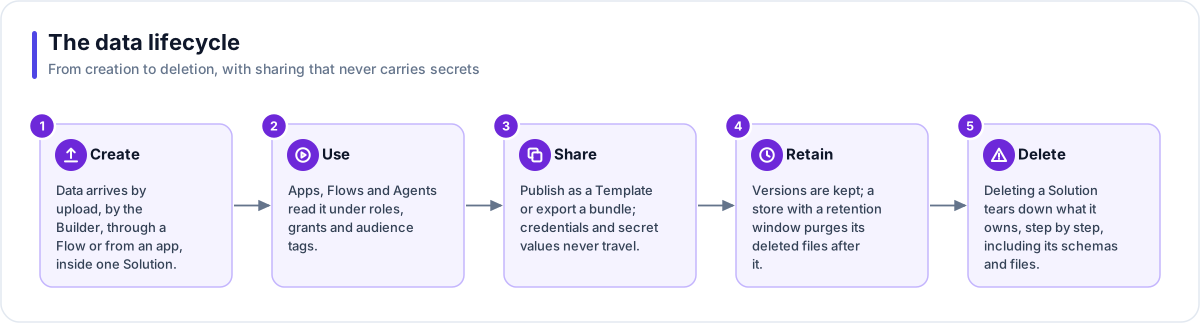
Data in Flexday AI lives inside a Solution from the moment it arrives. It is used under roles, grants and audience tags, shared through Templates or export bundles that never carry secrets, kept according to retention rules, and deleted in a known order when the Solution goes.
At a glance
- Everything has an owner. Every resource, file and document belongs to one Solution or Template; the audit trail and usage history belong to the workspace.
- Sharing never leaks credentials. Templates, clones, exports and imports carry names and settings, never secrets.
- Import always creates something new. An import never merges into or overwrites an existing Solution.
- Retention runs on a schedule. File Stores that set a retention window or a version limit are cleaned up every hour; by default deleted files and old versions are kept.
- Deletion is ordered. Deleting a Solution removes what it owns, step by step; the audit trail and the file access log are kept.
Create and use
Data arrives by upload in Studio, by the Builder from your chat attachments, through a Flow (a webhook, a query step, a file fetch), or from a generated app through the gateway. From then on, access to it follows the Solution's roles and grants, Fact Base roles and row policies, audience tags and Agent grants. See Data isolation.
Share
| Route | Best for | What travels |
|---|---|---|
| Template | A reusable starting point many people will use | Its resources (an Identity only when it uses Basic credentials); Fact Base rows kept or left out, one choice for all of them; apps in draft; Flows and Agents unpublished; Connections and Secret Variables as empty shells. A Solution started from it gets its read endpoints back, while endpoints for Flows, Agents and files are added again. |
| Solution export | Moving or backing up one Solution | Every resource, always; Fact Base rows, documents, files and run history, each ticked on its own; non-secret Variable values; no secrets |
| Fact Base, Flow or Agent export | Moving one resource | The resource and its requirements; the Fact Base arrives unprovisioned |
Export and import in detail
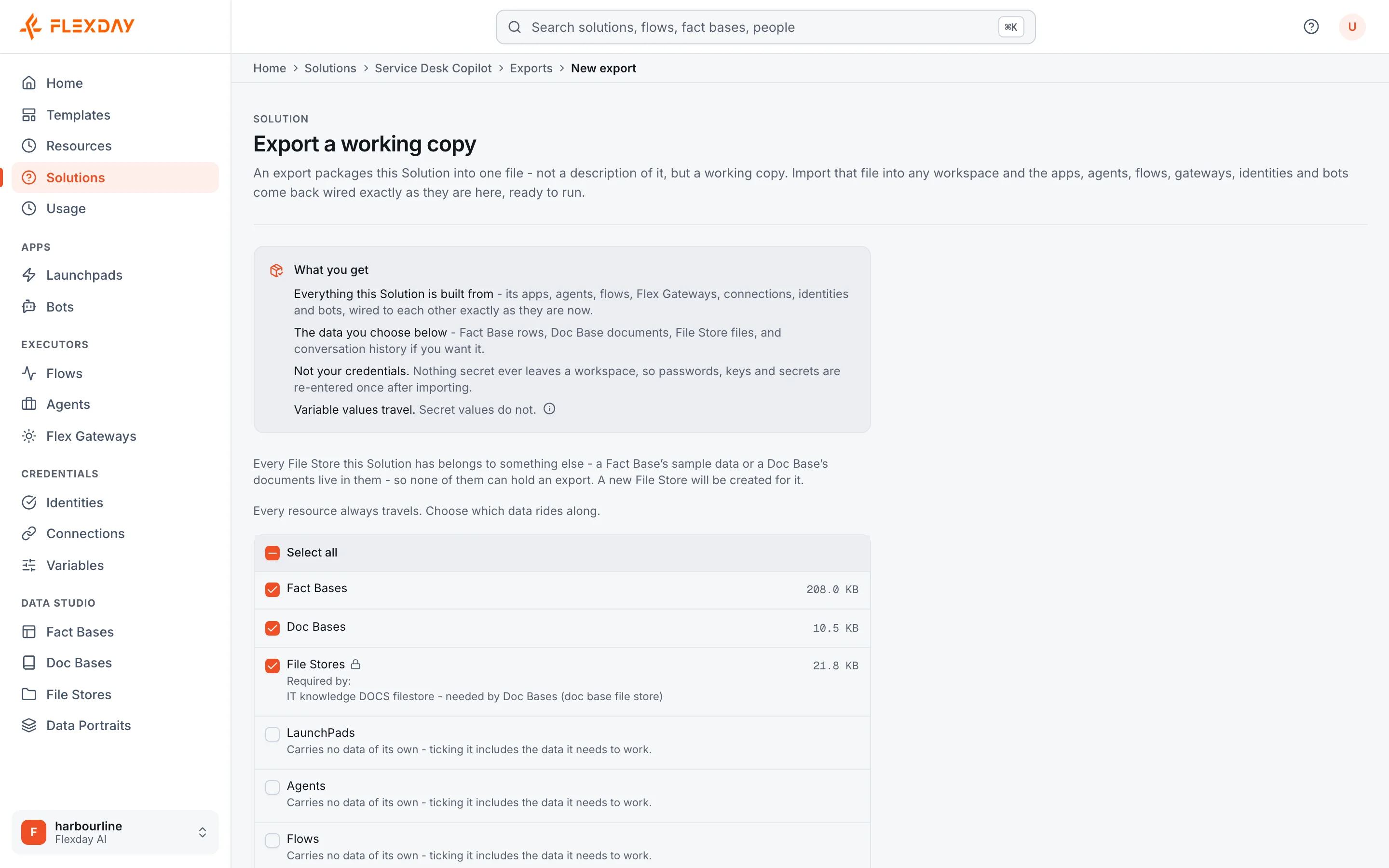
- Export. On the Solution's Exports view, choose the data. Linked choices lock on and say why (documents need their files). A background job writes one bundle file to a File Store you pick.
- Import. From the Solutions list, upload the bundle or pick it from a File Store. You see where it came from and what it carries first.
- The new Solution. Every ID is new and every internal reference is remapped. Flows arrive switched off, Bots unregistered, and webhook Flows with a new address and signing secret. A Flow step that called one of the Solution's own gateways by its full web address now calls the new copy; the import report names any it could not repoint.
- Finish setting up. The import report lists every credential to re-enter, every Variable to fill in, and anything the bundle referred to but did not carry.
A bundle records its format, and a bundle that needs a feature an older release cannot read is refused before anything is created. An import that fails with an error removes what it created; if the service running it stops partway, a partly created Solution can be left behind to delete.
Retain
| Data | Rule |
|---|---|
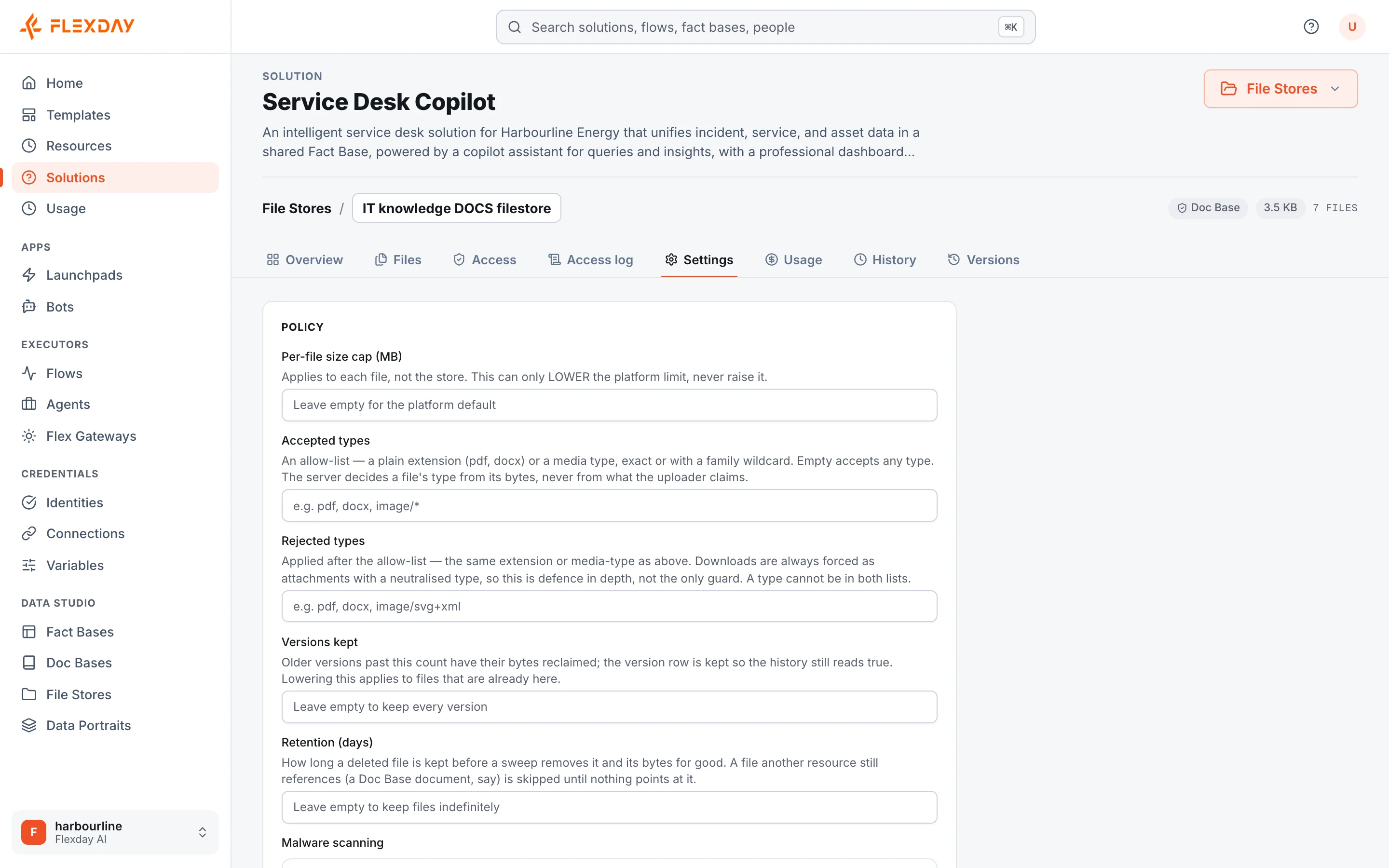
| File versions | Kept, unless the store sets a version limit: then older versions lose their bytes, and their history stays. |
| Deleted files | Kept, unless the store sets a retention window: then they are deleted for good after it. A file a document still uses is skipped. |
| File access log | Kept for the workspace's retention window (30 days by default). |
| Stored form submissions | Removed after the workspace's retention window. |
| Resource versions | Kept until their resource is deleted. |
| Conversations and run history | Kept until their Agent, Flow, Solution or workspace is deleted. |
| Audit trail | Kept until the workspace is purged. |
| Staged import bundles | Kept 24 hours, then removed. |
Delete
Deleting a Solution is irreversible. It runs step by step: Flow runs are cancelled, Agent sessions ended, managed Teams Bots unregistered, document indexes and files deleted, the Solution and its records removed, and then its Fact Base schemas and app files dropped. Each step runs even if an earlier one fails. The audit trail and the file access log are kept.
An owner can offboard a whole workspace. Access stops, running work is cancelled and a final export is made; after the workspace's retention window, during which it can be restored, the workspace is purged, its audit trail last, and its encryption key is destroyed. See Portability and exit.
Limits
| Area | Limit |
|---|---|
| Export bundle and staged upload | Up to 5 GB (100 MB through the fallback upload) |
| Unpacked bundle | Up to 50 GiB and 200,000 entries |
| Concurrent imports | Up to 3 staged or running per workspace |
| Storage | Per workspace, shared by files and Fact Base data, set by your plan |
What an evaluator can verify
| To confirm | Where to look in a trial |
|---|---|
| What an export carries | A Solution's Exports tab: choose the data to include; choices that depend on each other say why. The bundle is written to a File Store you pick. |
| That an import is always new, and leaves secrets behind | Import the bundle from the Solutions list: it creates a new Solution, and the import report lists every credential to re-enter and every Variable to fill in. |
| How long files are kept | A File Store's Settings: Versions kept and Retention (days). |
| That deletion removes what a Solution owns | Delete a test Solution, then confirm that its apps, datasets, documents and files are gone from every list. |