Governance
Audit, usage and cost
The records that answer who changed what, who read which file, what each AI call cost, and how Agents are really used.
- Everyone
- Functional users
Last reviewed
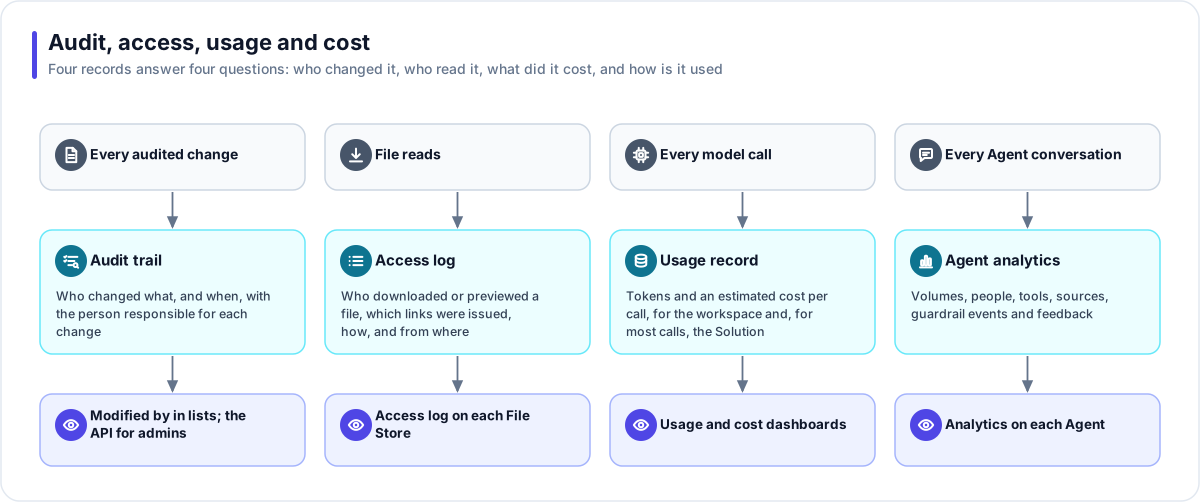
Flexday AI keeps four records, each answering one question. The audit trail answers who changed something. The access log answers who read a file. Usage records answer what each AI call cost and, for most calls, which Solution it served. Agent analytics answer how an Agent is really used. Together they make the platform accountable, to you and to your auditors.
At a glance
- Changes have a person behind them. The audit trail is written by the database itself, so no code path can skip it for an audited record; scheduled and automatic work is recorded as System.
- Reads are recorded too. Downloads, previews and issued links for files go in their own access log.
- Every completed model call is metered. Its model and tokens are recorded for the workspace, the usage pages turn them into an estimated cost, and most calls are attributed to the Solution that caused them.
- Real use, measured. Agent analytics leave out Playground and evaluation conversations.
The audit trail
| Property | What it means |
|---|---|
| Written by the database | Changes to audited records are captured by the database as they happen, so an application path cannot forget to record one. Fact Base data rows, version records, evaluation sets and run telemetry are outside the trail. A change to the Builder's saved conversation is recorded as a digest (its size, SHA-256 fingerprint and message count), not as two full copies. |
| The person responsible | Each entry carries the person who made the change, including changes made by background jobs on their behalf and by the Builder in their session; scheduled and automatic work is recorded as System. |
| Protected | The trail refuses updates and deletes. Two operator-run tasks are the only exceptions: purging a whole workspace, and compacting old entries for the Builder's saved conversation into that digest, after a backup that still holds the originals. |
| Staff attributed to staff | Actions in a support session are recorded against the Flexday staff member, never against one of your users. |
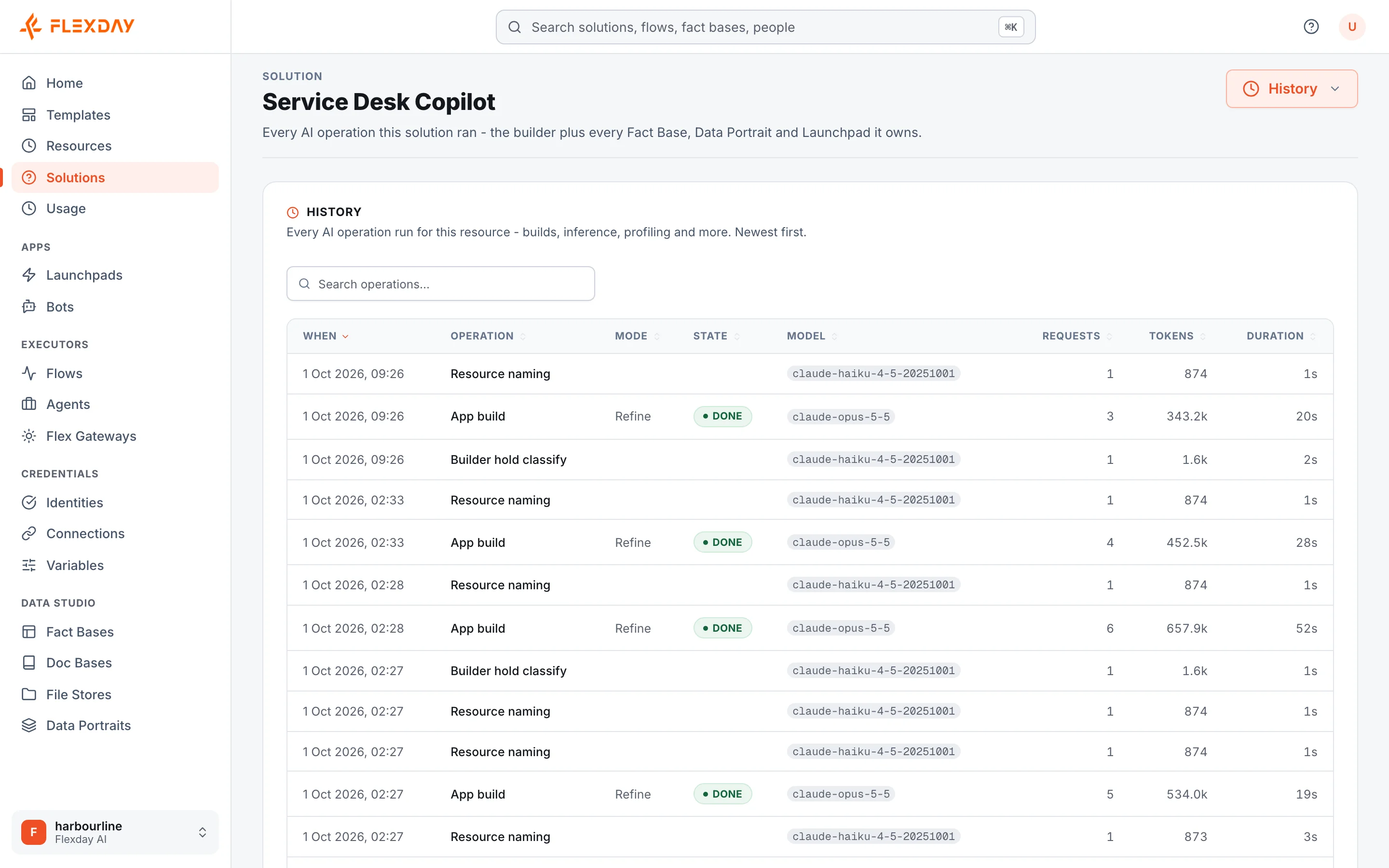
| Where you see it | Workspace admins read the full trail through the platform's API. In the Studio, lists show who last changed an item and when (Modified by and Modified), and each resource's History tab lists its AI operations. |
The file access log
Audit records cannot record reads, so File Stores keep their own log of who read what: every download and preview, every direct link when it is issued, and listings at most once a minute per person, with who read it and through what (the Studio, an app, a Flow or an Agent). You can filter it by file, operation, source, caller and date on each File Store's Access log tab. It is kept for the workspace's retention window (30 days by default).
Usage and cost
| Property | What it means |
|---|---|
| One record per completed model call | Model, and tokens in and out. The usage pages turn those into an estimated cost at list prices where the model has a price. The prompt and the answer are not stored here. |
| Attributed in context | A call made by the Builder, a nested Agent or a Fact Base definition is attributed to the resource and the Solution it served. A Flow's AI step is recorded against its run and counted in the Solution that owns the Flow. |
| All-in per Solution | A Solution's cost includes every call attributed to it. |
| Dashboards | The workspace Usage & cost page, with a CSV export, plus a Usage tab on Solutions, Fact Bases, Data Portraits, Doc Bases, LaunchPads, File Stores and Agents. |
| Visibility follows access | In a Restricted workspace (set by the platform's operators), members and viewers see only the Solutions shared with them, and the page says so; owners and admins see the whole workspace. There is deliberately no "everyone else" figure beside your own. |
| Storage | Storage used (files and Fact Base data) is measured per workspace and counted against its quota. |
Agent analytics
Each Agent's Analytics view shows real use: conversation and turn volumes, distinct people, tool use, the sources cited, guardrail events and feedback. Playground and evaluation conversations are excluded from analytics, although they still appear under Usage because they cost money. Turns an Agent takes when a Flow runs it are counted.
Run and turn history
- Flow runs keep a step trail: every step's input, output, status and timing, with analytics across all runs.
- Agent sessions keep their turns, the tools used and the documents cited.
- Builder turns keep a build log, one line per action.
- Deliveries from Teams Bots record every outbound attempt, sent or failed.
What an evaluator can verify
| To confirm | Where to look in a trial |
|---|---|
| Who changed something | The Solutions list shows who last changed each Solution and when. For the full trail, ask a workspace admin to read the audit trail through the platform's API, or ask Flexday to show it. |
| Who read a file | A File Store's Access log tab, filtered by file, action, caller or date. |
| What AI use cost | The Usage & cost page (with Export CSV) and each resource's Usage tab. |
| How an Agent is really used | The Agent's Analytics tab: volumes, people, tools and knowledge, feedback and guardrail events. |
| What a Flow did | The Flow's runs: each step's input, output, status and timing. |