Capabilities
Apps and experiences
Give people generated web apps, interactive documents and forms, and an assistant in Microsoft Teams, with the sign-in your organisation already uses.
- Everyone
Last reviewed
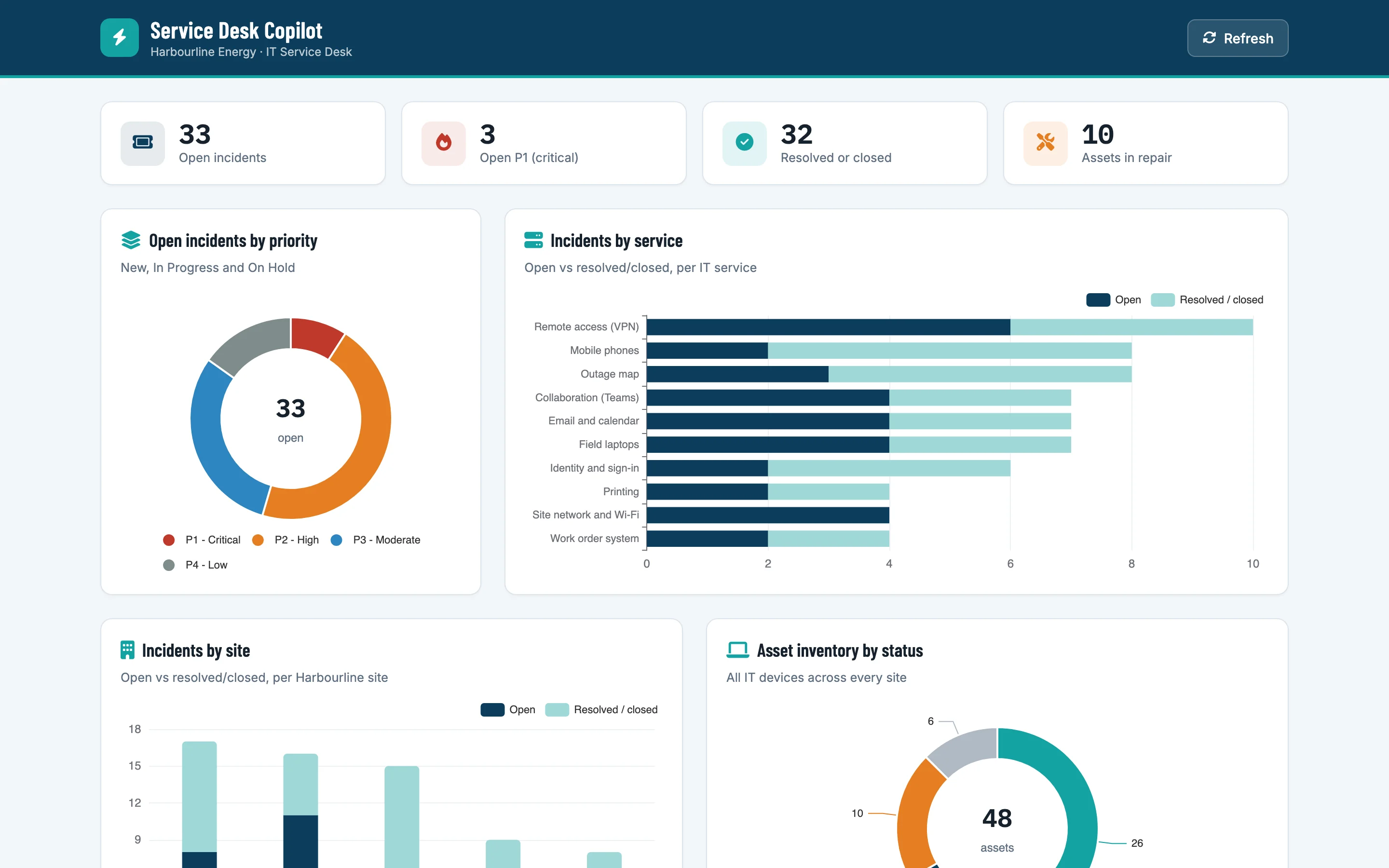
Flexday AI puts what you build in front of people in three ways: a generated web app (on your workspace's own address where your deployment provides one), interactive documents and forms inside a conversation, and an assistant in Microsoft Teams. Each one uses the same data, automations and Agents behind it, and the same rules about who may see what.
What you can do
- Ship a dashboard, a tracker or a portal from one conversation. The Builder writes a LaunchPad with charts, tables, maps and forms that read live data.
- Change it safely. App changes land in a Draft you preview in Studio and reach end users when you deploy (the first build is deployed for you). Changes to saved queries and to the data reach users at once.
- Put buttons to work. A button can run a published Flow: approve a request, raise a ticket, send a report.
- Add a chat panel. An app can talk to a published Agent, which can answer from your data and cites the documents it searched.
- Show a document in the conversation. A document card opens a policy or a contract in a built-in reader, with a download button when policy allows.
- Collect exactly what you need. A form card gathers several validated answers at once, including files, and asks again, up to five times, until they are right; a form can instead ask one question at a time.
- Meet people in Teams. A Bot puts an Agent inside Microsoft Teams, and can message people first when a Flow has news for them.
- Let people sign in their usual way. Attach an Identity: your workforce single sign-on, a customer identity provider, or a SAML provider through a user pool.
How it works
| Experience | Built from | Reached through |
|---|---|---|
| Web app | A LaunchPad: plain files with a shared kit; new apps keep one file per widget and a page per screen | <workspace>.apps.<domain>/<app> where the deployment publishes workspace addresses, otherwise the shared apps address; data only through the Flex Gateway |
| Document and form cards | Interactive cards on an Agent or a Flow's Form and ViewPort steps | An app's chat panel or Studio |
| Teams assistant | A Bot bound to one published Agent | Microsoft Teams personal chats, group chats and channels |
| End-user sign-in | An Identity on the Solution's gateway | The provider's own sign-in page; completed on the gateway, or in the browser for a Microsoft sign-in |
An app holds no API address, no dataset ID and no credential. Every data call goes to its own address, where the gateway runs the query under a Fact Base role. Once you attach an Identity, the gateway also checks who is asking, so each person sees only what they are allowed to.
Example
A regional operations team asks the Builder for "a dashboard of open maintenance jobs by site, with a button to reassign a job and a chat assistant that knows our safety procedures". The Builder loads their spreadsheet into a Fact Base, writes a LaunchPad with a map and a table, wires the reassign button to a Flow, and adds a chat panel backed by an Agent that searches a Doc Base of procedures. The team attaches their Entra ID Identity so only employees can sign in, deploys, and adds a Teams Bot for the same Agent so field engineers can ask questions from their phones.
Who uses it
| Persona | What they get |
|---|---|
| Business user | A working app without a development project |
| End user | An app on a familiar address, their usual sign-in, an assistant in Teams |
| Developer | Plain, readable app files and a documented gateway contract |
| IT and security | Sign-in through the existing identity provider; no secrets in apps; per-endpoint access rules |
| Functional user | A tool for the process they own that their team can open in a browser, with usage and cost visible |