Architecture
Extensibility
How Flexday AI reaches every outside service through an adapter, and which providers each adapter supports today.
- Technical
Last reviewed
The core of Flexday AI never names a vendor. Sign-in, AI models, search, storage, secrets, scanning, messaging, business applications and email each sit behind an adapter: a fixed interface the core talks to, with one driver per provider. Supporting a new provider means adding a driver, and choosing one is a configuration setting, not a redesign.
At a glance
- Ten adapters, one pattern. Each outside dependency has a single interface and a registry of drivers chosen by configuration.
- Swap without rewriting. Moving object storage from Amazon S3 to Azure Blob Storage, or a deployment's secrets into AWS Secrets Manager or Azure Key Vault, changes configuration, not code.
- Failures are loud. A driver that is selected but unreachable stops the service at start-up with a clear message; nothing quietly falls back to a different provider.
- Declared both ways. Every provider module is declared in a list that is checked in both directions, so a driver cannot be written and then silently never loaded.
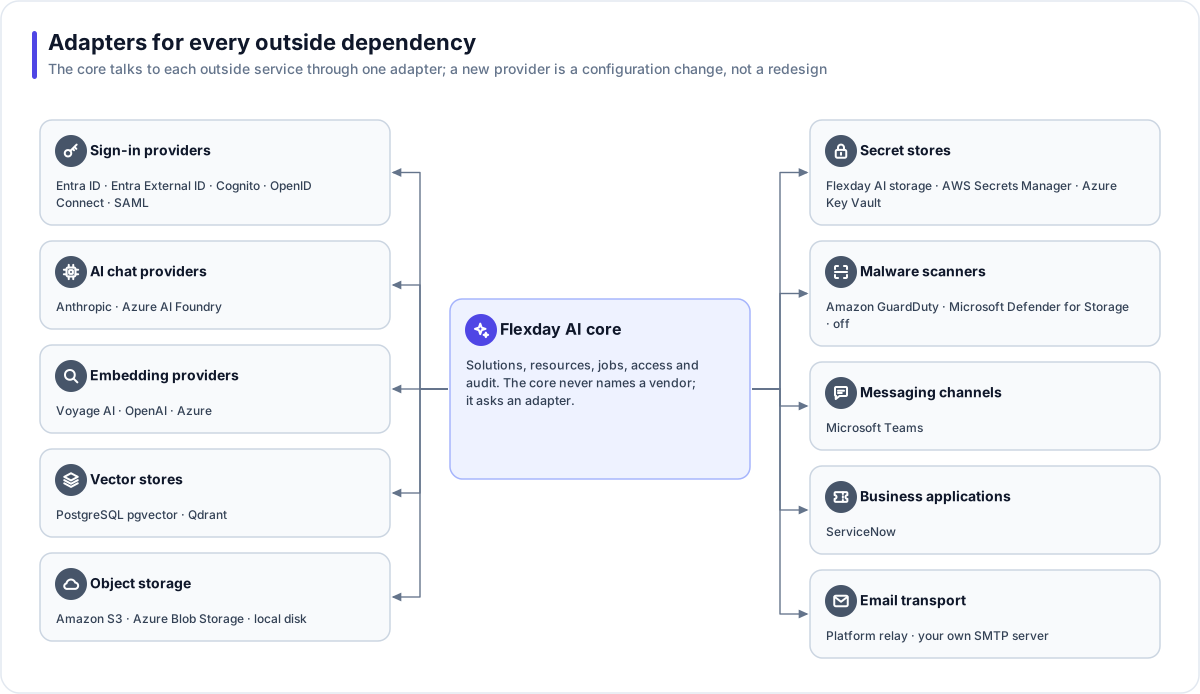
The adapters and today's drivers
| Adapter | Drivers available today | Chosen by |
|---|---|---|
| Sign-in providers (Studio) | Microsoft Entra ID, Microsoft Entra External ID, Amazon Cognito, any OpenID Connect provider, SAML through federation | Each workspace's sign-in binding |
| Sign-in for apps (Identities) | Nine mechanisms and 30 provider presets | Each Identity |
| AI chat providers | Anthropic, Azure AI Foundry | The deployment, then per task and per Agent |
| Embedding providers | Voyage AI, OpenAI, Azure | Each Doc Base, fixed at creation |
| Vector stores | PostgreSQL pgvector (default), Qdrant | Each Doc Base, fixed at creation |
| Object storage | Amazon S3 or S3-compatible, Azure Blob Storage, local disk | The deployment |
| Secret stores | AWS Secrets Manager, Azure Key Vault, or Flexday AI encrypted storage | The deployment's configuration; a workspace does not choose it |
| Malware scanners | Amazon GuardDuty Malware Protection for S3, Microsoft Defender for Storage, off | The deployment |
| Messaging channels | Microsoft Teams | Each Bot |
| Business applications | ServiceNow (nine actions) | Each Integration step and its Connection |
| Email transport | The platform's mail relay, your own SMTP server | Each Send email step or Agent grant |
Two further adapters exist as ready seams with nothing connected by default: user onboarding (which can create invited users in an Amazon Cognito pool) and billing.
How adapters behave
- Capabilities, not vendor checks. Where drivers differ (for example whether a storage driver can sign direct upload links), the core asks the driver what it can do rather than checking which vendor it is.
- Per-reference lookup. A sealed secret records which store sealed it, so moving a deployment to a new secret store needs no migration and leaves nothing unreachable.
- No shared credentials across concerns. For example, object storage on AWS uses its own credentials, separate from the ones used for Cognito.
- Business applications describe themselves. An application's actions, form fields and connection settings are declared by its driver, and Studio renders the Integration step and the Connection form from that description. Studio itself names no provider.
Adding a provider
For customers, adding a provider is a request to Flexday: new applications, messaging channels and identity presets ship as part of the platform. The contract they plug into is stable, so a new application does not need a new kind of Flow step, and a new messaging channel does not change how Agents work.