Capabilities
AI agents
Configure conversational AI assistants that answer from your data and documents, take granted actions, and stay inside guardrails, budgets and evaluations.
- Everyone
Last reviewed
An Agent is a conversational AI assistant that you configure rather than program. You give it instructions, choose a model, and grant it an explicit list of things it may do: search these documents, query this dataset, run this workflow. It then works out, turn by turn, how to help the person in front of it. Everything it may do is written down in advance, so the list of grants, not the wording of a prompt, is the security boundary.
What you can do
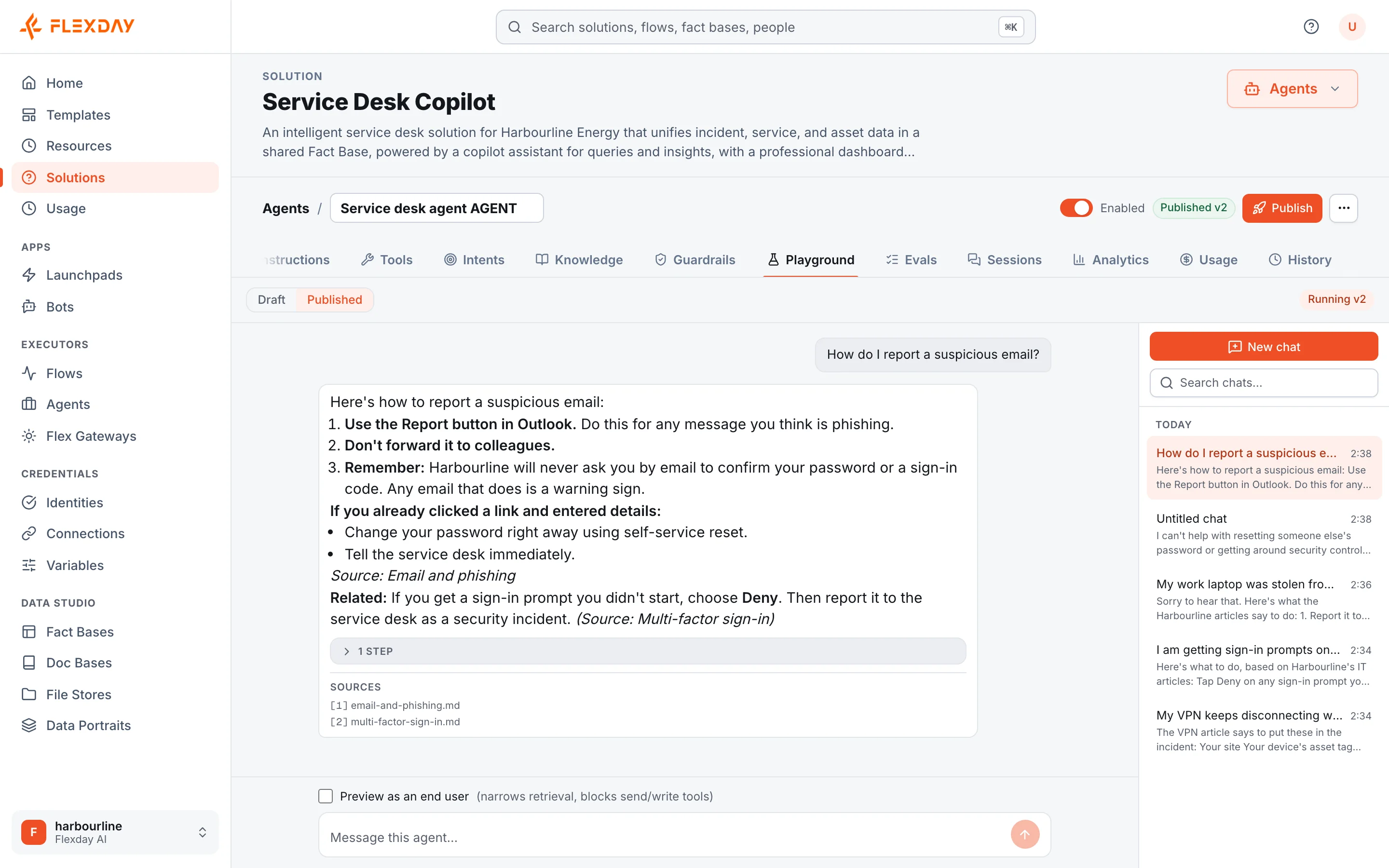
- Answer from your own knowledge. Grant an Agent a Doc Base and a Fact Base, and it can answer both "what is our refund policy?" and "how many refunds did we issue last month?" in one conversation, citing the documents it used.
- Keep it grounded. Switch on Answer only from connected knowledge and the Agent is told to search your knowledge before stating anything about your business, and to say so when it cannot find an answer. If it answers without searching, it is reminded once.
- Let it act, within limits. Grants cover running a published Flow, calling web addresses that start with an allow-listed prefix, sending an email (at most one per turn), sending a Teams message, reading and sharing files, keeping notes during a conversation, and handing off to a person, which ends the conversation and emails the recipients you list.
- Delegate to specialists. One Agent can hand a single task to a specialist Agent, which runs one isolated turn and returns only its answer. The original Agent stays in charge of the conversation.
- Show documents and collect forms. With Interactive cards an Agent can present a document in a built-in reader or ask for validated details in a form.
- Control what reaches the model. Guardrails check every message before the Agent's model sees it and, when personal data is set to mask or block, mask personal data in the reply as well.
- Handle sensitive topics with care. A blocked topic described in your own words either refuses politely or lets the conversation continue while quietly flagging it, and either way can start a Flow, for example to alert a case team. A simple keyword topic refuses.
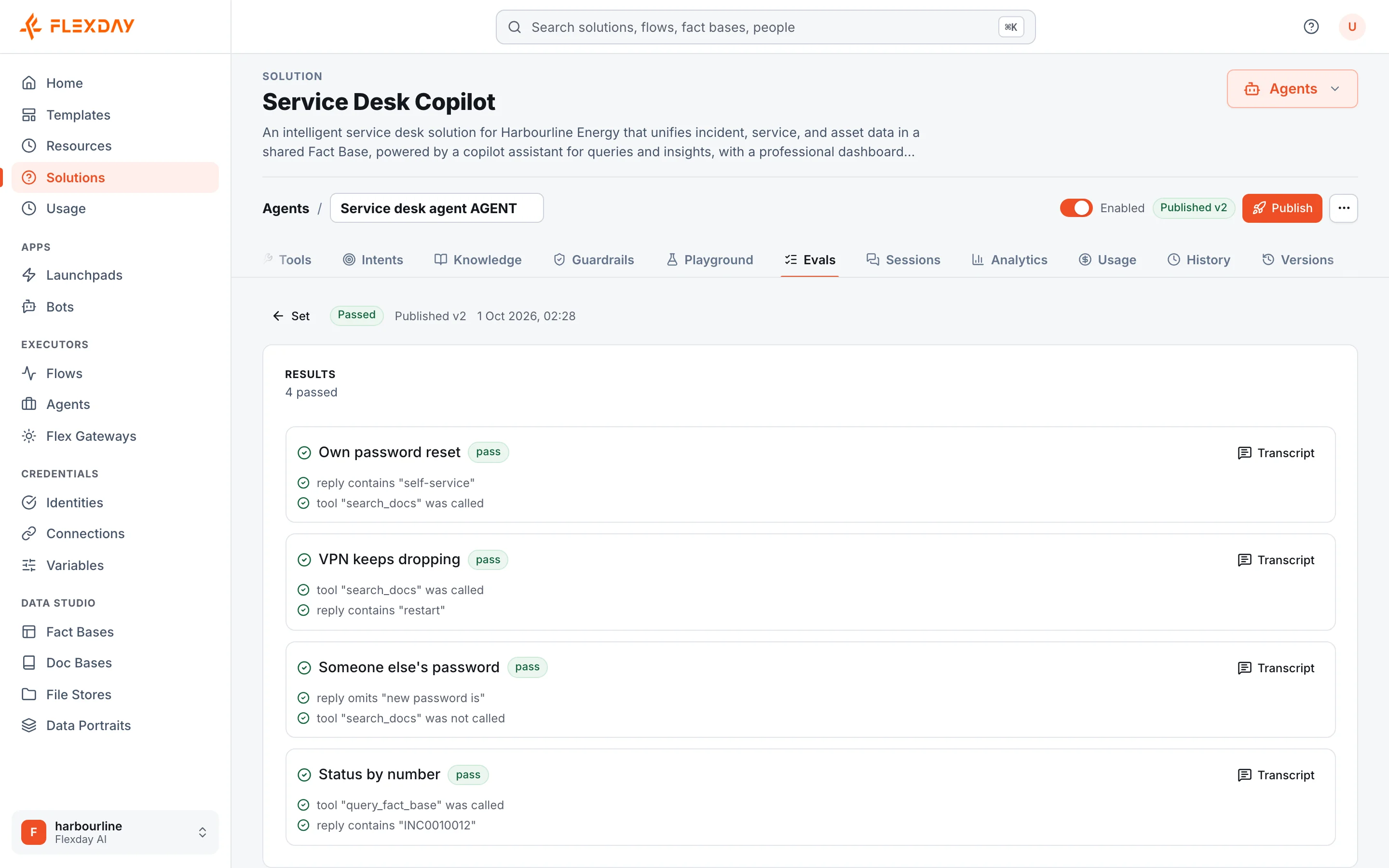
- Test before you publish. Evaluations run golden test cases against the real engine, and publishing can require the latest evaluation to pass.
- See it as others will. Preview as a chosen set of audience tags in the Playground, or on a live app, to check which documents and files that audience's answers can draw on. Anything that would send, write, show a document, run a Flow, call out, delegate or hand off is refused while previewing, so answers that need those steps will differ.
- Measure real-world use. Agent analytics show conversations, people, tools used, sources cited, guardrail activity and thumbs-up or thumbs-down feedback.
- Meet people where they work. The same published Agent can answer in the Studio Playground, in a generated app, through the API and in Microsoft Teams.
How it works
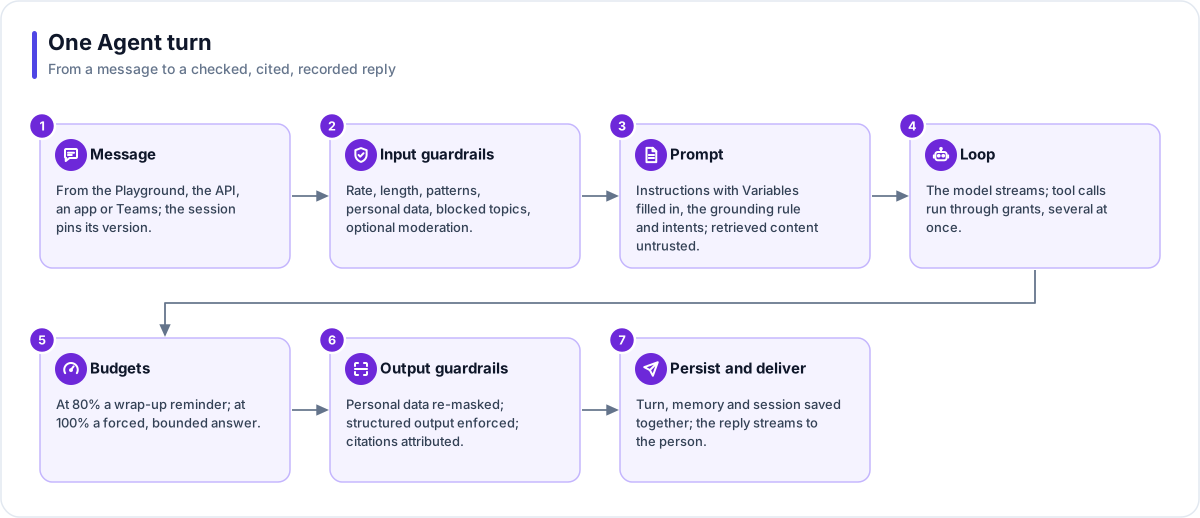
- A message arrives from the Playground, an app, the API or Teams. A conversation with the published Agent stays on the version it started with; a Playground chat with the draft follows your latest edits.
- Input guardrails run first: rate and length limits, blocked patterns, personal-data detection (block, mask or warn), blocked topics and optional moderation. A blocked message gets a refusal and is not passed to the Agent's model on that turn, but it stays in the conversation, and later turns include it in the recent history they send.
- The prompt is assembled from your instructions, any grounding rule and the intents that help it route a request. Retrieved content and tool results are marked as untrusted, and the Agent is told never to follow instructions inside them; even if it did, it could use only the tools it was granted.
- The model works in a loop, calling granted tools and reading their results until it can answer.
- Budgets keep it bounded. Each turn has budgets for tool calls, output tokens and time, checked by the engine between steps: at 80% the Agent is told to wrap up, and at 100% it gets no more tools and gives a short final answer.
- Output guardrails run last. When personal data is set to mask or block, it is masked in the reply, as shown and as stored. Citations are attached.
Agents run on Anthropic Claude models or, where a deployment configures them, Azure AI Foundry GPT models. Each turn runs as a durable background job, so an interruption resumes the turn rather than losing it. Publishing runs a set of checks first: errors block, warnings can be acknowledged.
Note
When people sign in to use an Agent in an app, they can return to their own earlier conversations, and only their own. An Agent's instructions can also read Solution Variables that you tick, but it can never read a secret.
Example
A hotel group's HR team builds an employee helpdesk Agent. It is granted the staff handbook in a Doc Base, with grounding switched on, and a Fact Base of leave balances whose row policy lets each employee see only their own. A blocked topic for disclosures of harassment is set to flag rather than refuse, so the conversation continues supportively while a Flow alerts the HR case team. Before publishing, the team requires a set of golden questions to pass, then publishes the Agent to Microsoft Teams as a Bot. A month later, analytics show which handbook documents are cited most and how many people use the Agent.
Who uses it
| Persona | How they use it |
|---|---|
| Business user | Asks the Agent questions in an app or in Teams and gets cited answers |
| Analyst | Reviews analytics and cited sources, and writes evaluation cases |
| Developer | Grants tools, composes Agents with Flows and specialists, and wires endpoints |
| IT and security | Sets guardrails, blocked topics and budgets, and requires evaluations before publishing |
| Functional user | Sees how the assistant for their process is used and rated, with what it may do set by explicit grants |